State – This pattern can let the program’s object alter its behavior when its internal state changes, which seems like it changes its class.
From Design Pattern – Behavioral Patterns
Structure

Applicability
- Using this pattern, when the program has an object that behaves differently depending on its current state, the number of states is enormous, and the state-specific code changes frequently.
- Use this pattern when the program has a class polluted with massive conditionals that alter how the class behaves according to the current values of the class’s fields.
- Use this pattern when the program has a lot of duplicate code across similar states and transitions of a condition-based state machine.
Note: This pattern seems like a good solution for any situation, but it brings a few problems—for example, Finite-State Machine.
Pros and Cons
PROS
- Single Responsibility Principle – Organize the code related to a particular state into separate classes.
- Open-Closed Principle – Introduce new states without changing existing state classes or the context.
- Simplify the context code by eliminating bulky state machine conditionals.
CONS
Applying this pattern can be overkill if a state machine has only a few states or rarely changes.
How to Implement
#1 Basic Sample
static void Main(string[] args)
{
	var context = new Context(new ConcreteStateA());
    	context.Request1();
    	context.Request2();

    	Console.ReadKey();
}

class Context
{
    	private State _state = null;

    	public Context(State state)
    	{
		TransitionTo(state);
    	}

    	public void TransitionTo(State state)
    	{
		Console.WriteLine($"Context: Transition to {state.GetType().Name}.");
		_state = state;
		_state.SetContext(this);
    	}

    	public void Request1() => _state.Handle1();

    	public void Request2() => _state.Handle2();
}

abstract class State
{
    	protected Context _context;

    	public void SetContext(Context context) => _context = context;

    	public abstract void Handle1();

    	public abstract void Handle2();
}

class ConcreteStateA : State
{
    	public override void Handle1()
    	{
		Console.WriteLine("ConcreteStateA handles request1.");
		Console.WriteLine("ConcreteStateA wants to change the state of the context.");
		_context.TransitionTo(new ConcreteStateB());
    	}

    	public override void Handle2() => Console.WriteLine("ConcreteStateA handles request2.");
}

class ConcreteStateB : State
{
    	public override void Handle1() => Console.Write("ConcreteStateB handles request1.");

    	public override void Handle2()
    	{
		Console.WriteLine("ConcreteStateB handles request2.");
		Console.WriteLine("ConcreteStateB wants to change the state of the context.");
		_context.TransitionTo(new ConcreteStateA());
    	}
}
#2 Web Application Project
Step 1 Create a state context of the interface class file, which name sets “IState_Context.” Create a second interface class file, which name sets “IStateServices.”


Step 2 Create the state class object files and a state context class file in the Core projects. The class file name of the state context sets “State_Context.” The state class file name sets “State.” The “State_Context” inherits an “IState_Context” interface class file.


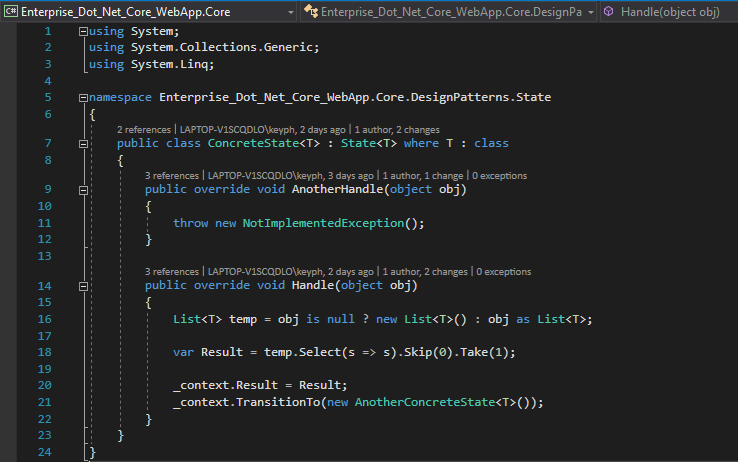
Step 3 Create the two class files about the state node of the state pattern. One file name of the state node sets “ConcreteState.” Other class file name sets “AnotherConcreteState.”

Step 4 Create the service class file of the state pattern, which inherits an “IStateServices” interface class file.

Step 5 Create the state pattern-related file in the Web projects, then register the interface class object of the state pattern and the service class object of the state pattern.
// State
services.AddScoped(typeof(IStateServices<>), typeof(StateServices<>));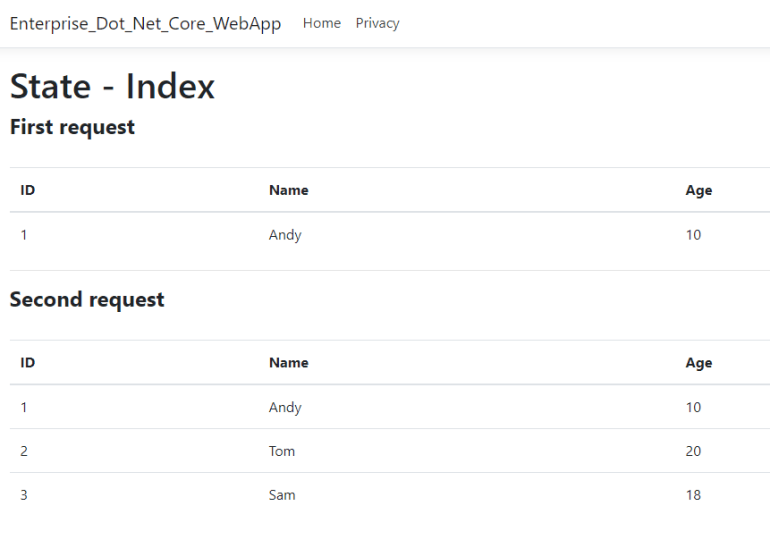
Reference

1 Comment