Extended Aspect-Oriented Programming (AOP) in .NET MVC

Step 12. Run the web application solution under the debug model. If the web application runs success, the interceptor messages will show on the Visual Studio’s Output view by Debug.WriteLine method. If the web application runs fail, the interceptor messages won’t show on the Visual Studio’s Output view; then the browser will show the screen’s error message.
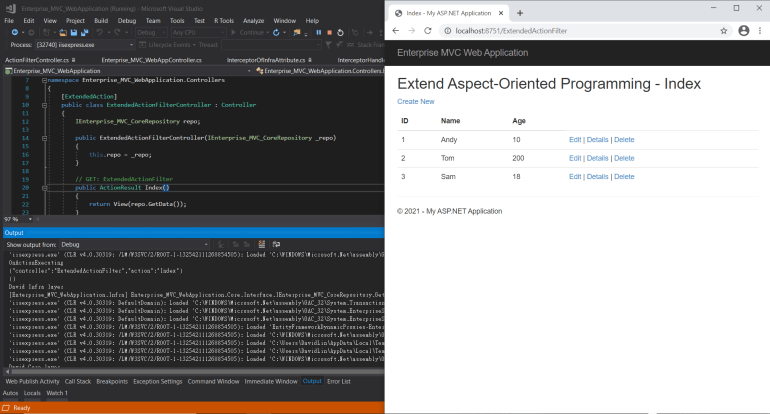

In my Visual Studio 2017 compiler, the Output view result will show Module Load Messages. If you want to turn off the Module Load Messages setting, it will be O.K. It won’t affect the extended aspect-oriented programming case in the Visual Studio compiler.
Note: Turn off the Module Load Messages method: Tools -> Options -> Debugging -> Output Window -> Module Load Messages -> Off

Conclusion
We demoed the web application’s primary action filter case last post article. We advanced talk action filter that is about the extended aspect-oriented programming in DAL layers and BLL layers. We use the interceptor messages concepts in the DAL layer and the BLL layer. When the web application is running, the interceptor mechanism will record all of the operation messages. You can understand the backend transfer process information from the intercept messages. You can set all repository and entity models that have interceptor mechanisms. This idea sounds like a good idea, but maybe it will have a web performance problem in your web application. It isn’t about the hardware, IIS server, etc. It is about the software architecture problem. It would be best if you had a cold down to consider it and planning your web application project.
Reference